Automatic Data Extraction
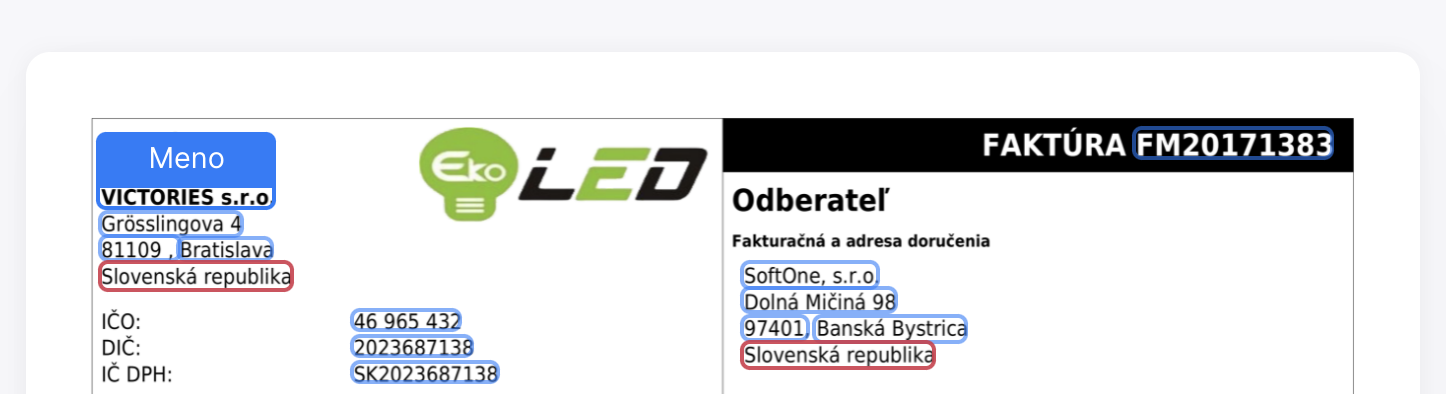
Invoice data extraction is a process that allows data from a document (invoice) to be automatically transferred into your accounting software through specialized software. This software, utilizing artificial intelligence and other modern technologies, can recognize necessary data in the document, such as invoice number, business partner name, dates, amounts, variable symbol, payment account, invoiced items, and more. It doesn’t matter if the invoice is in electronic form (e.g., PDF, JPG) or paper form.
Main Benefits:
- Significant time savings with faster data processing,
- cost savings by replacing human work with automation, and
- reducing errors in data transcription.
Workflow
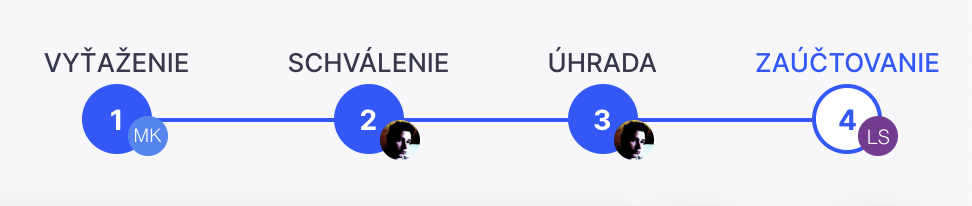
A workflow can be understood as a sequence of steps where documents or tasks are transferred from one participant to another for further processing. Practical applications of workflow can be seen in business process automation, such as implementing approval processes within company documents. A properly set workflow can streamline and expedite individual tasks, making the entire process more transparent and faster. Workflow represents the automation of a business process, allowing documents, information, and tasks to be passed from one participant to another according to predefined rules.
Quick Search
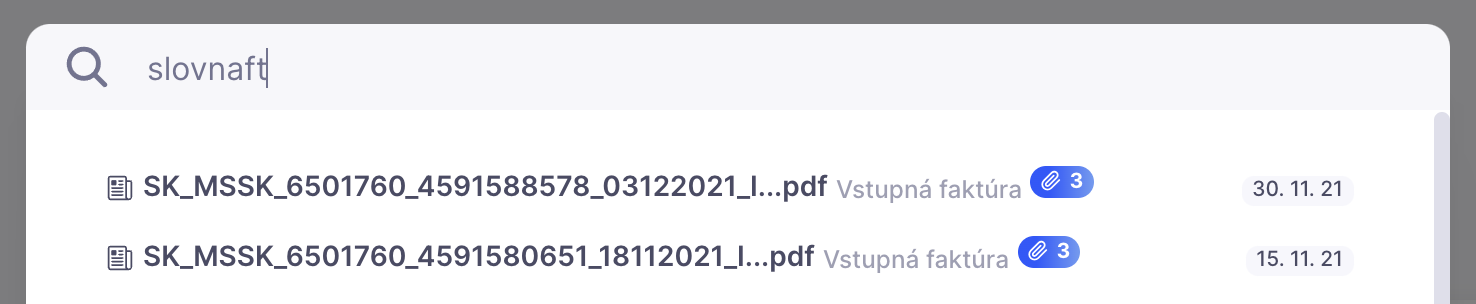
No more lengthy searches through drawers, binders, or archives. No more flipping through hundreds of pages to find hidden information. A digital archive provides quick search functionality. Just type in one or two words, and the system instantly presents documents containing those terms, regardless of whether they were processed yesterday or added ten years ago.
Discussions

Sometimes, you need to ask a colleague about a specific data point, payment account, or which accounting category to use. You can add any questions or notes directly to the document using the discussion feature. Colleagues will be notified and can respond, and the entire discussion remains a part of the document for its entire archival period.
Online Archive
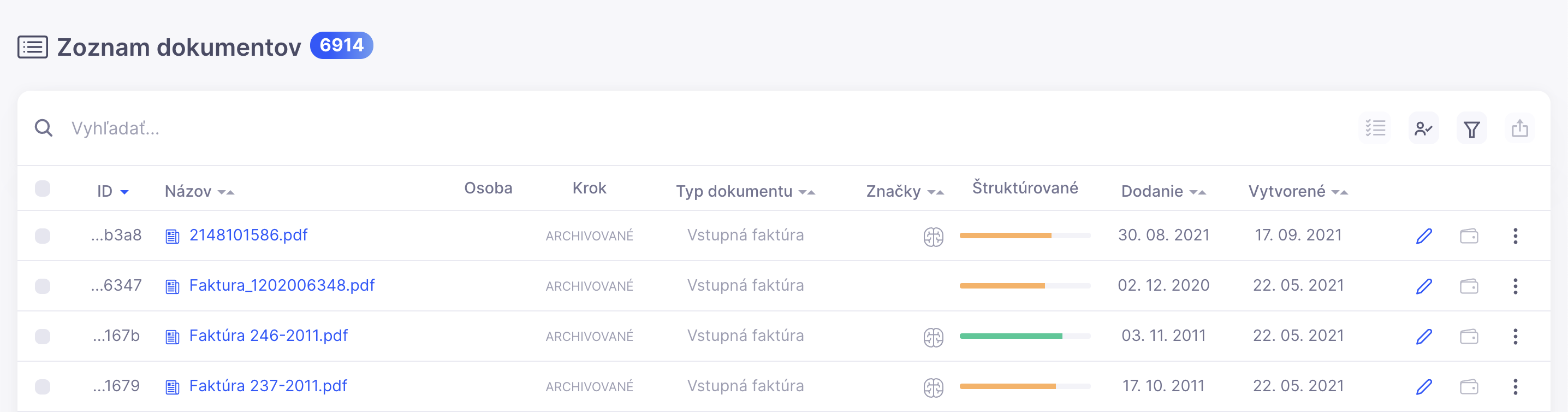
Every document uploaded to the DocFlow system is immediately archived. Text within it is digitized, and key data is automatically extracted using artificial intelligence. This allows you to quickly and easily search for required information anytime, even 20 years later. Fast, organized, and accessible from anywhere on your computer, tablet, or phone. Your data is automatically backed up, eliminating the risk of data loss. If needed, they can also be backed up in another location via FTP or downloaded as a ZIP archive.
Detailed Filters

The DocFlow system allows for detailed filtering options. You can, for instance, search for specific document types or invoices that are yet to be paid. You can search for documents within a selected tax period, overdue documents, or documents assigned to a specific person or in a particular workflow step. Additionally, you can filter by custom tags or extracted data.

Interactive Guides for the Docflow System
Files
Upload documents
How to get documents into the system — upload, drag & drop, PDF splitting, types and sending for processing.
OpenUpload via e-mail
Forwarding invoices to the company e-mail inbox, splitting/merging attachments and the document in Uploads with the sender.
OpenTrash – restore documents
Restore deleted documents and the 30-day countdown to permanent deletion.
OpenFiling tray
Stage and append pages/documents to the end, move between projects.
OpenArchive
Automatic monthly archive, creation by period and in bulk from the list.
OpenChecking uploaded documents
Enabling the check in company settings: all uploaded documents (web, mobile, e-mail) first wait in Uploads for a type review.
OpenDocuments
Working with a document
Data extraction, review, approval and export of a single document.
OpenSetting & changing the document type
A typeless document: a detail with no fields, picking the type from a select — and fields, workflow and the responsible person popping in after filing.
OpenDocument – attachments
Attaching more files to a document (order, delivery note, contract) via the .jpg/.png/.pdf upload box.
OpenDocument – next-document settings
The gear: order of next documents (date/step), only the same type, default VAT recalculation.
OpenDocument – moving pages
Page actions rail (outside the page), drag & drop page reordering and downloading the document as PDF.
OpenDocument – notifications
Notifications icon and 3 levels (error/warning/notice), an unread error blocks Confirm, Mark as read, the icon in the list too.
OpenExtracting line items (Digital table)
Line items from invoices/receipts: mark the area, rows and columns, Digital table, column mapping, fixing “errors”.
OpenDocument – actions
Re-extract, export, print, change history, discussion and wallet (payment).
OpenDocument list
Document overview, filtering, full-text search, columns and bulk actions.
OpenDocument – bulk actions & exports
Bulk actions, export to accounting systems (Pohoda, ABRA…), Excel and SEPA.
OpenPayments (QR / SEPA)
Paying an invoice: extracted payment details, PAY-by-square QR code, bulk SEPA payment and the PAID status.
OpenInvoicing
Issuing invoices with line items, QR payment and sending by e-mail.
OpenWorkflow & document
Workflow status on a document and automated creation of a new document.
OpenReports
Settings
Creating & setting up a company
Creating a new company (Project name + accounting software) and the profile: official name with auto Reg. No., IBAN, e-mail, switching companies.
OpenCompanies / projects
Multiple companies in one account, company profile, mailbox, IBAN and logo.
OpenUsers and roles
Inviting members and permissions: administrator, editor, guest.
OpenCategories / document types
Fields (use/hide/validate), numbering and workflow per document type.
OpenCategory order in menu
Reorder document categories in the left menu by dragging.
OpenDocument parameters & code lists
What is extracted from a document: Use/Hide/Validate/Require toggles and the Text·Key·Parameter code list.
OpenDuplicate identifier
How DocFlow detects a twice-uploaded document: Unique ID (Reg. No. + VS + Amount) and system-wide check.
OpenExtraction – choosing the AI model
AI model (pre-trained SK, self-learning, Gemini, OpenAI), score threshold (extraction %), Always-review mode.
OpenPosting templates (auto-accounting)
The Auto-accounting parameter and the posting-template code list (Text·Key·Parameter = Dr/Cr accounts); AI suggests them, export to accounting.
OpenCreating issuable documents
A new issuable type: Allow creating new documents + template (invoice, proforma, order, delivery note, quote).
OpenCopying settings & code lists
Transferring settings, parameters and workflow from another category or company — all or specific.
OpenWorkflow – approval
Multi-step processes, step assignment and automations (e.g. export).
OpenAdvanced workflow
Conditions and parameters, multiple approvers, validations and step automations.
OpenWorkspace – external systems
Workspace by accounting software, connector and copying settings.
OpenAccount
E-invoice
Activate the digital postman (Peppol)
Enable Peppol in company settings — access point, credentials and the document type for received e-invoices.
OpenReceiving e-invoices
A received digital invoice in Uploads, UBL preview, saving into a category and locked original data.
OpenSending via Peppol — workflow step
Add the “Send via postman” step to the Outgoing invoices workflow with UBL validation and automation.
OpenSending an issued invoice
Automatic sending of an outgoing invoice via Peppol, error handling and UBL XML export.
Open